
It’s the digital equivalent of finding a locked treasure chest without a key. You have a .csdownload file sitting in your folder, and a tempting little thought pops into your head: What if I just rename it? It seems like such a simple, logical fix.
As a software developer who has dug into the binary guts of more files than I can count, here’s the definitive answer, and it is not a simple yes or no.
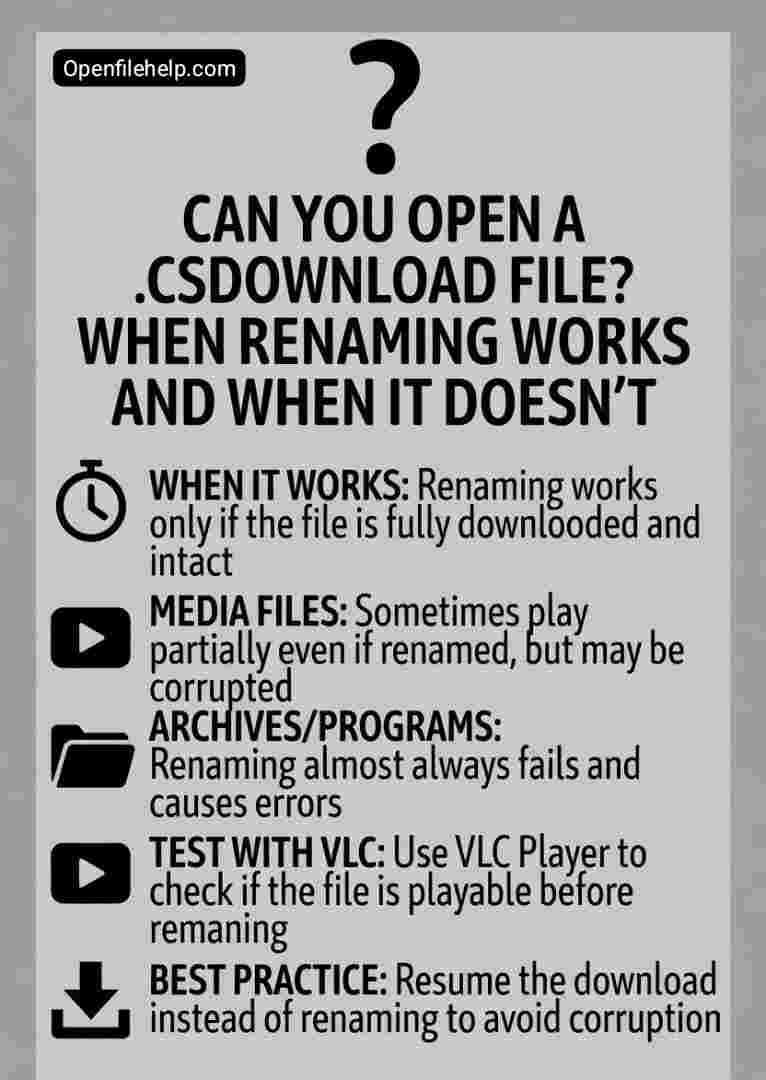
The short answer is this: you can try to open it, but simply renaming it will almost never give you a perfectly working file.
Let’s break down exactly why this is, when you might get a partial victory, and when you are just wasting your time.
Briefly
Before you start renaming files, here is the absolute truth about opening a .csdownload file:
- It is incomplete, not encoded
A.csdownloadfile is a partial download, not a special file type. Renaming it does not create missing data. - Media files are the exception
Renaming may work only for video or audio files, and even then, playback will stop exactly where the download failed. - Archives and programs are hopeless
Renaming a.csdownloadfile for a.ZIP,.EXE, or.DMGwill always result in a corrupted file that will not open. - Use VLC for testing
If you attempt renaming a media file, always use a tolerant player like VLC Media Player for the best chance of partial playback. - Resuming is always better
The correct fix is almost never renaming. It is resuming the download or re downloading the file from the source.
What You’re Actually Dealing With
It is crucial to understand that a .csdownload file is not a finished product. It is the unfinished manuscript of your file.
When you download something, your browser, such as Safari, writes the data to your disk piece by piece and temporarily assigns the .csdownload extension.
Once the final byte is downloaded, the browser removes the .csdownload extension and reveals the real file inside, such as .zip, .mp4, or .pdf.
If you are left with the .csdownload file, the download was interrupted. The file is incomplete. It is missing its final sections and possibly critical data from the middle.
How to Recover WhatsApp Images That Won’t Download: Struggling with WhatsApp images that won’t download? Discover 10 guaranteed step-by-step fixes to recover and download failed media files fast—works on Android & iOS!

The Renaming Experiment: A Guided Tour
So what actually happens when you right click and choose Rename?
When Renaming Might Give You a Partial Result
This is the best case scenario, and it applies almost exclusively to certain media file types.
The File Types
- Videos (
.MP4,.AVI,.MOV) - Audio (
.MP3,.WAV)
Why It Might Work
Media formats are often streamable. Players like VLC Media Player are designed to be extremely tolerant. They begin playing from the start of the file and stop only when they encounter missing or corrupted data. They do not require the entire file to be perfect.
How to Try It Safely
- Make a copy of your
myfile.zip.csdownloadfile. Always experiment on the copy. - Rename the copy to
myfile.mp4, or whatever extension you were expecting. - Open it using VLC Media Player. VLC is the most forgiving option available.
The Likely Realistic Outcome
If you are lucky, VLC will play the video or audio from the beginning and abruptly stop at the exact point where the download failed. This is not a fixed file. It is a salvaged one. You have recovered only the portion that successfully downloaded.
When Renaming Fails, This Tool Can Save You
Renaming is a Hail Mary. For a solution that actually works, you need the right tool. If you frequently download large or important files, relying on luck is not worth the frustration.
Internet Download Manager (IDM) prevents broken downloads instead of trying to fix them afterward. It uses advanced segmentation and true resume capabilities to survive unstable internet connections.
If a download is interrupted, IDM can genuinely continue from where it stopped, unlike standard browsers. Think of it as insurance for important downloads. Get Internet Download Manager
When Renaming Will Almost Certainly Fail
For most file types, renaming is futile and results in a corrupted file that will not open.
The File Types
- Archives (
.ZIP,.RAR,.7z) - Programs (
.EXE,.DMG,.PKG) - Documents (
.PDF,.DOCX) - Disk images (
.ISO)
Why It Fails
These formats rely on strict internal structures.
- Archives and programs use internal tables and indexes, often stored at the end of the file. Missing data makes reconstruction impossible.
- Documents and disk images require complete headers and footers. A missing footer alone can render a PDF unreadable.
Renaming does not restore missing bytes. It only disguises the problem.
The Right Way to Fix a .csdownload File
Instead of gambling on renaming, follow this action plan:
- Resume the download
Open your browser’s download manager. In Safari, go to View, then Downloads. If Resume is available, use it. - Re download the file
If resuming is unavailable, return to the original website and download the file again. - Use a download manager
For large or important files, use a dedicated download manager to prevent interruption and enable true resume support.
The Final Verdict
So, can you open a .csdownload file by renaming it? You can try, but manage your expectations.
- Video or audio files: Worth a quick test with VLC. You may salvage partial playback.
- ZIP, EXE, PDF, or similar files: Do not bother. You will only end up with a corrupted file under a different name.
The real solution is not a clever rename trick. It is resuming or completing the download properly. Your time is better spent restarting the download than attempting digital alchemy on incomplete data.
Frequently Asked Questions (FAQs)
The difference is the browser. .csdownload is used by Safari on Mac and iOS, while .crdownload is used by Chrome and Microsoft Edge. They are functionally identical temporary download files.
This confirms the file is incomplete. Renaming cannot repair missing data. Your only real options are resuming the download or re downloading the file from the source.
If the file is video or audio, renaming and opening it in VLC is your best chance for partial recovery. For ZIP, EXE, or PDF files, recovery through renaming is not possible.
The browser cannot invent missing bytes. The resume function only works when the server allows it and the connection remains stable.
No. Attempting to open it will not damage your computer. The worst outcome is an error message stating the file is corrupted or incomplete